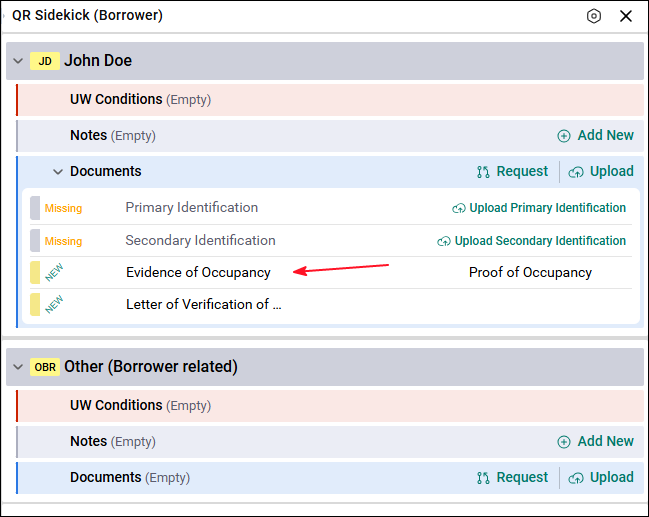
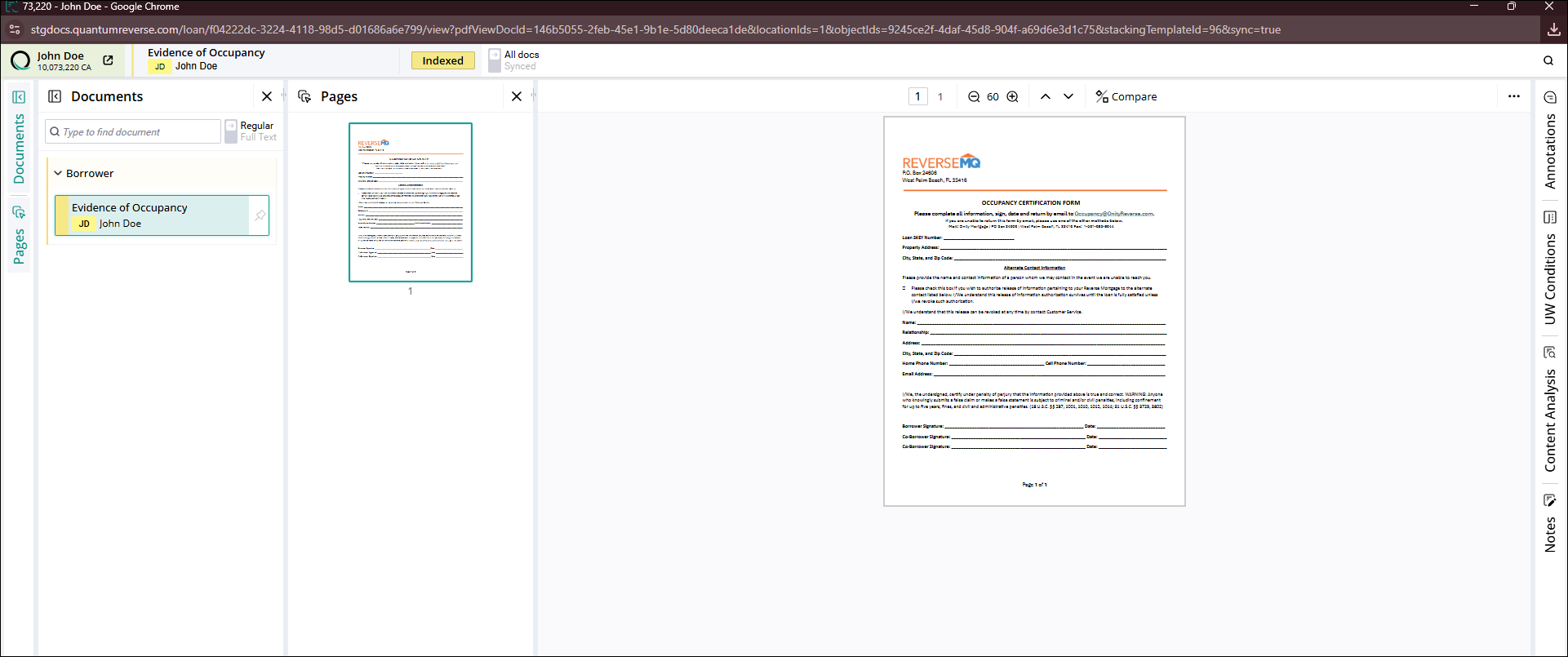
SideKick keeps all loan documents organized in the correct location. This helps Underwriters create conditions, review documents faster, and speed up the approval process. SideKick allows users to index documents once they are uploaded.
Indexing Documents
Indexing is one of the most important steps in Document Management because it determines how documents are organized, found, and used throughout the loan process.
In this step, the user verifies that the document was uploaded to the correct location, selects the correct document type, or, in cases like uploading a letter of explanation, confirms that it is linked to the correct document. For all documents, assigning the correct location is the most important part of the process.
User Rights Required
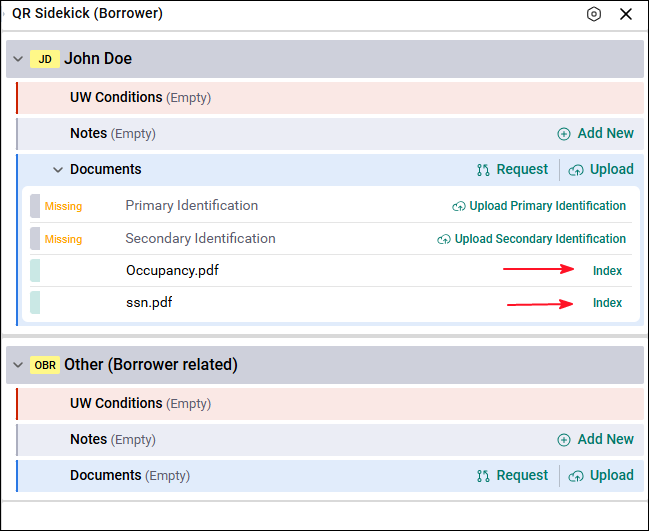
To index documents, the user must have right 5061. A user with this right will see the option to index the document on the right side of the Documents section. The user needs to click on it, and depending on how the viewer behavior is configured by your company, it will open in a pop‑up, a new tab, or a new window where the document can be indexed.
How Indexing Works
When indexing a document, the user will see several options:
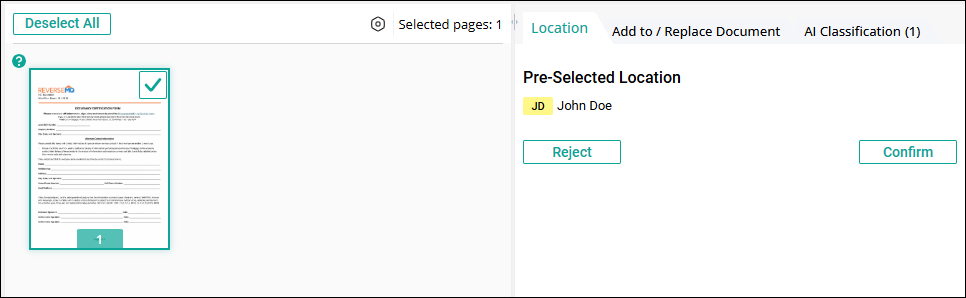
Location
This step confirms whether the document was uploaded to the correct location.
- Reject
- The document was uploaded to the wrong location
- The user will select the correct location
- Confirm
- The document was uploaded to the correct location
- The user will proceed to select the Document Type
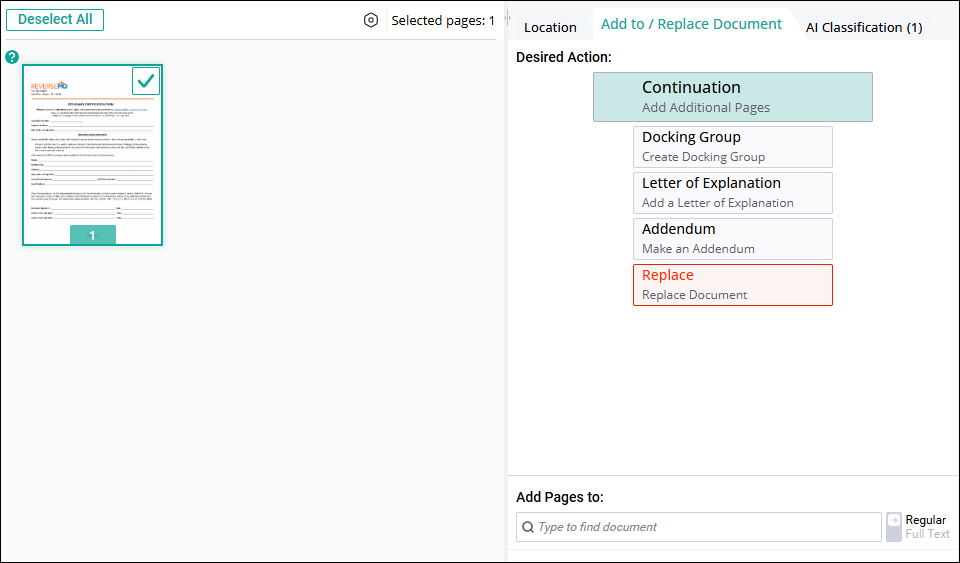
Add to / Replace Document
This section allows the user to:
- Add the document you are uploading to a document as additional pages
- Create a docking group, which links the document to another document
- Add the document as a letter of explanation
- Replace a document with the document you are uploading
AI Classification
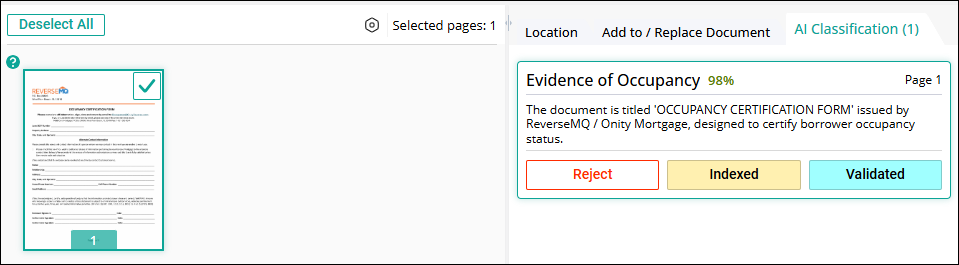
AI helps identify the document type.
Example: AI analyzes the document and determines it is 98% likely to be Evidence of Occupancy.
The user can then choose to:
- Index the document
- Reject
- Validate
After Indexing
Once the document has been indexed:
- The user can double‑click the document
It will open in Document Management
The user can continue working on it as needed