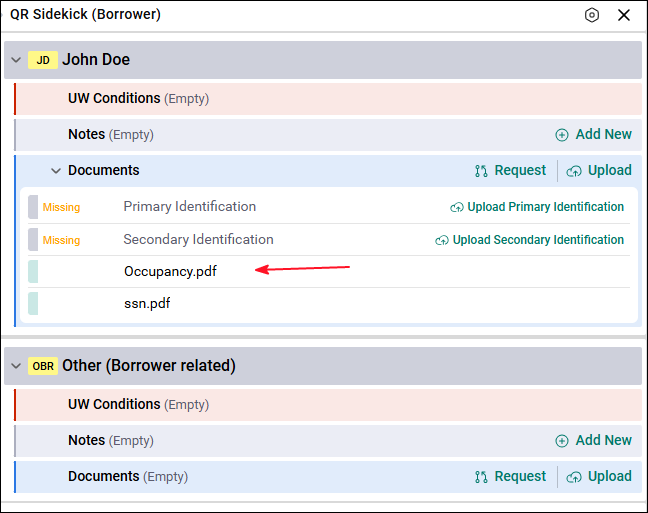
SideKick keeps all loan documents organized in the correct location. This helps Underwriters create conditions, review documents faster, and speed up the approval process. SideKick allows users to upload requested documents from external parties.
Requesting Documents
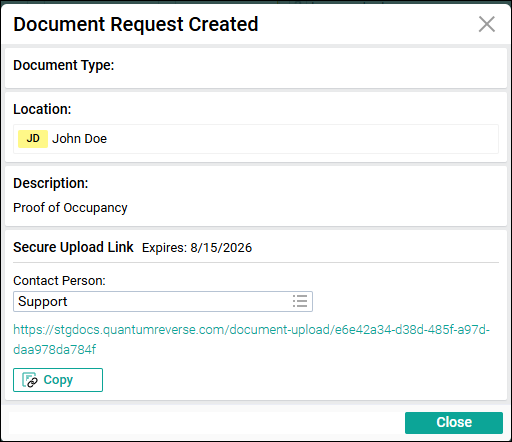
Users can request documents from borrowers, third parties, and other users. When a document request is created, the system generates a secure upload link that can be sent to the person who needs to upload the document.
User Rights Required
To create a document request, the user must have right 5021.
How to Create a Document Request
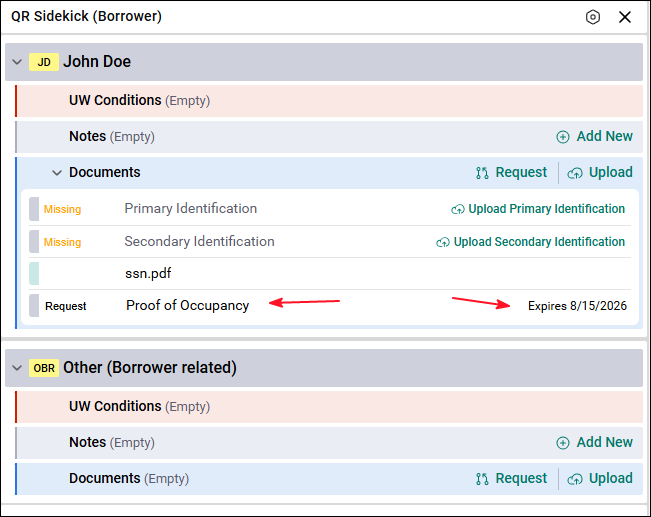
- Click Request in SideKick.
- Enter a description with at least 10 characters.
- Example: Proof of Occupancy
- Click Next.
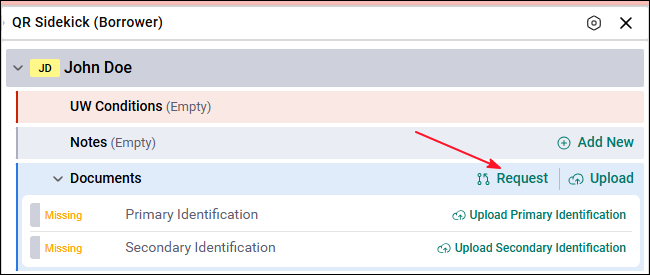
Note: If the user requesting the document has indexing rights, they will see an option to switch from the simple view to the detailed view and can select the document type for the document they are requesting.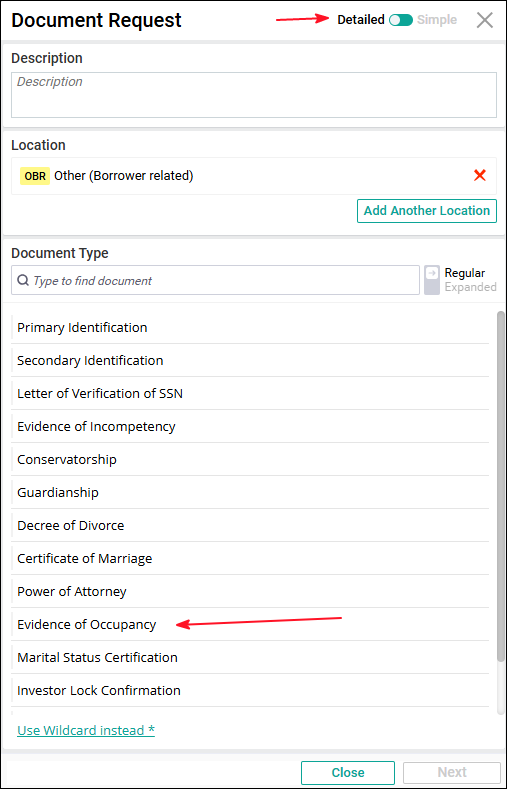 In this example, the user requesting the document does not have indexing rights, so we are performing only a simple document request.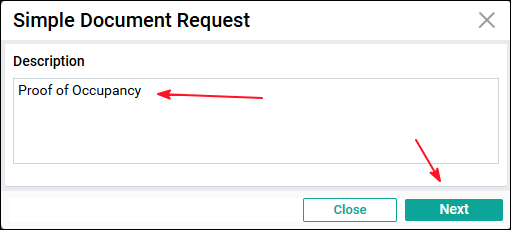
Secure Link Expiration
A pop‑up window will show:
- The expiration date of the secure link
- The expiration period depends on your company’s configuration
- Example: The link may expire in 5 days
What the Borrower Sees
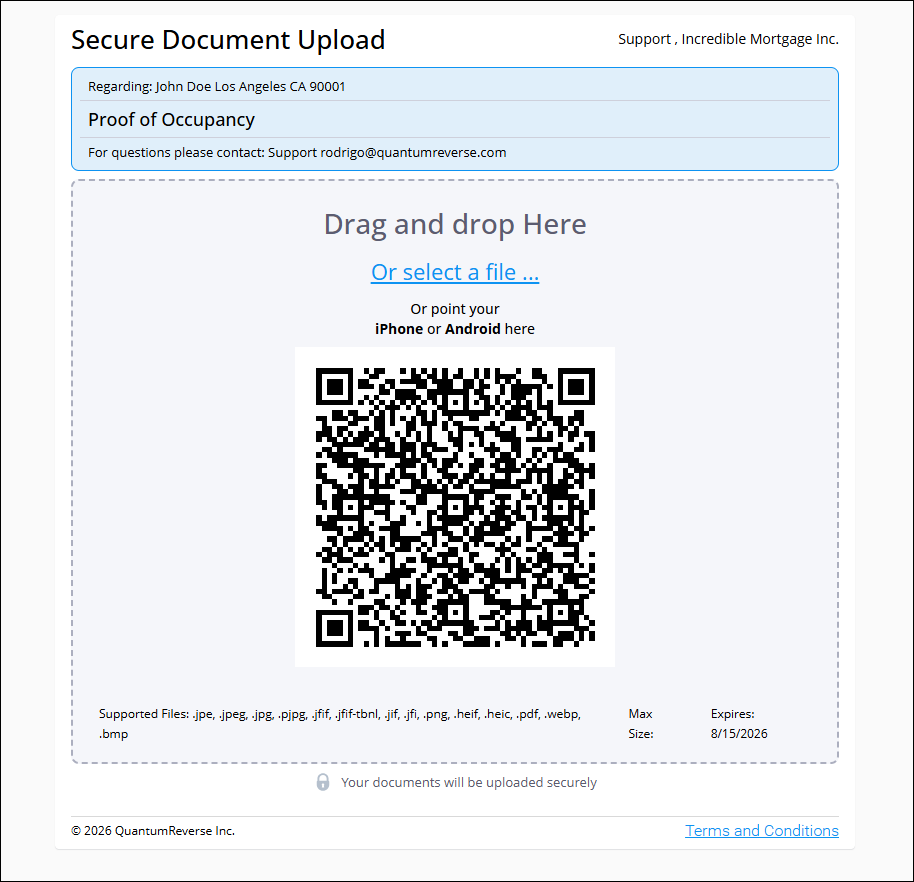
When the borrower or third party opens the secure link, they will see:
- A screen where they can drag and drop the document or select a file
- A preview of the document with options to:
- Add more pages
- Rotate the document
- A Complete button to finish the upload
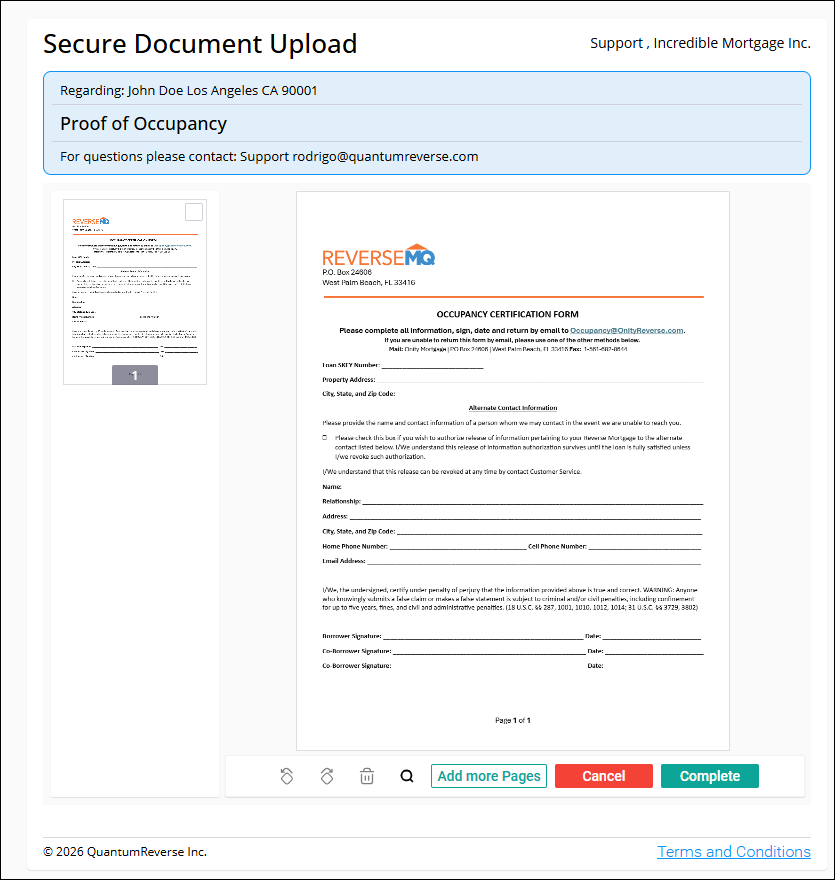
Once completed, the document appears in SideKick under Documents, ready for indexing.