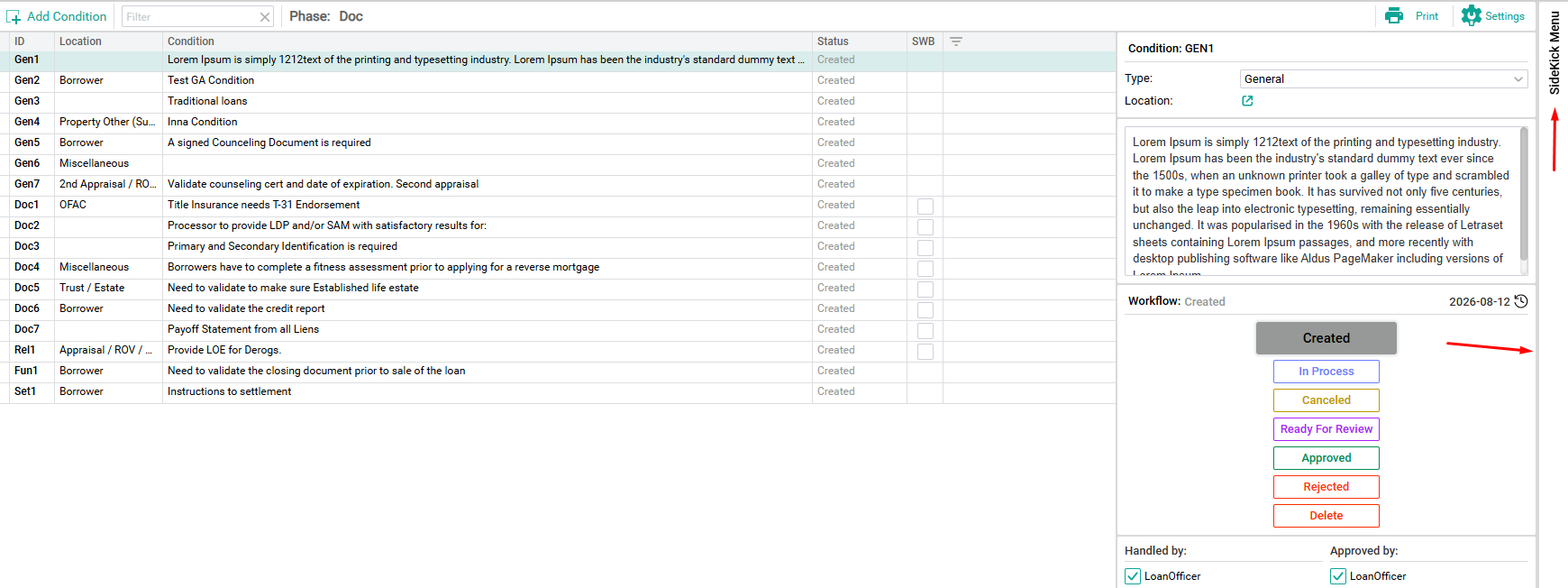
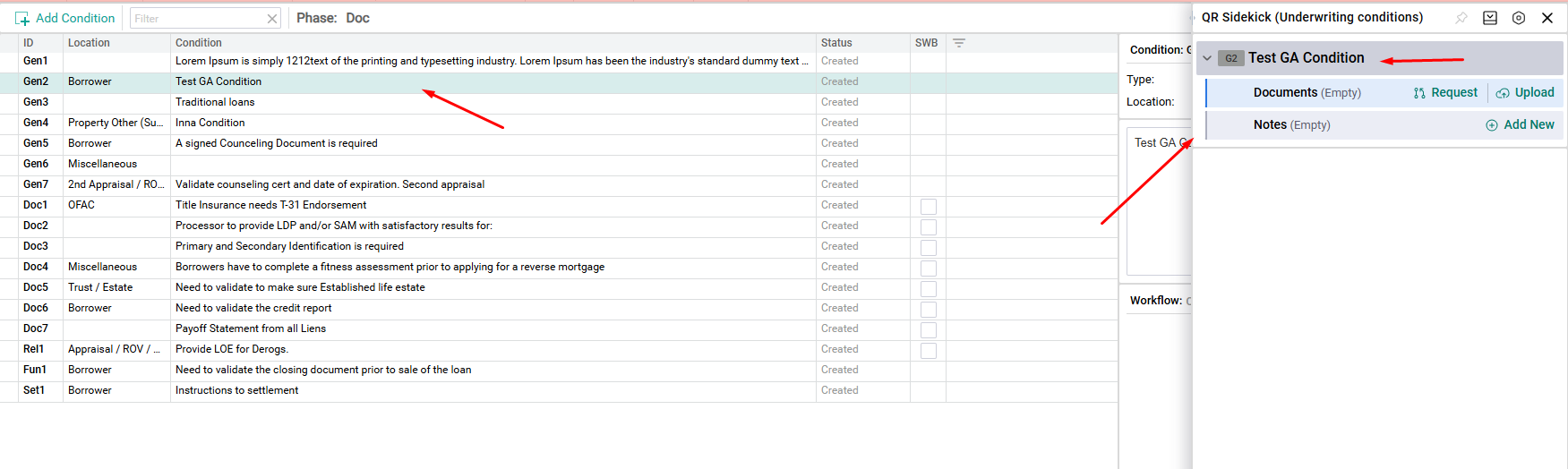
Documents, Notes, and UW Conditions reference certain Locations in the Application, such as the Primary Borrower, an Appraisal, or an Income Source. The SideKick provides a consistent way of organizing and accessing these by linking Documents, Notes, and UW Conditions to an affiliate location within the Application.
The SideKick will be located on the right side and is availble as a resource on the following screen in QR.
Borrower(s) *
Property
Loan Detail
Fees
Context
Miscellaneous
Processing *
Title
FHA
Signers / Trust *
Financial Assessment
Asset / Income *
Liabilities / Expenses
Underwriting *
Note: Screens with an * are screens that can have multiple Locations / Objects. See below for more details.
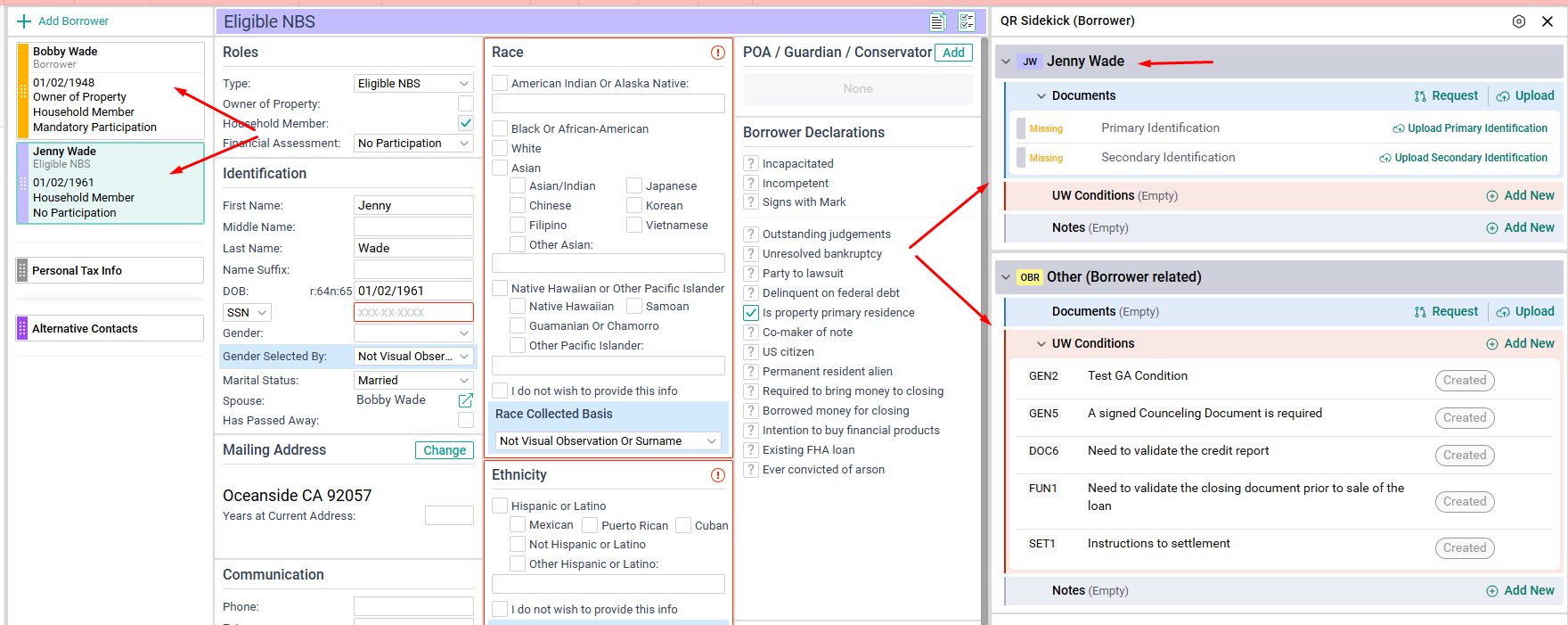
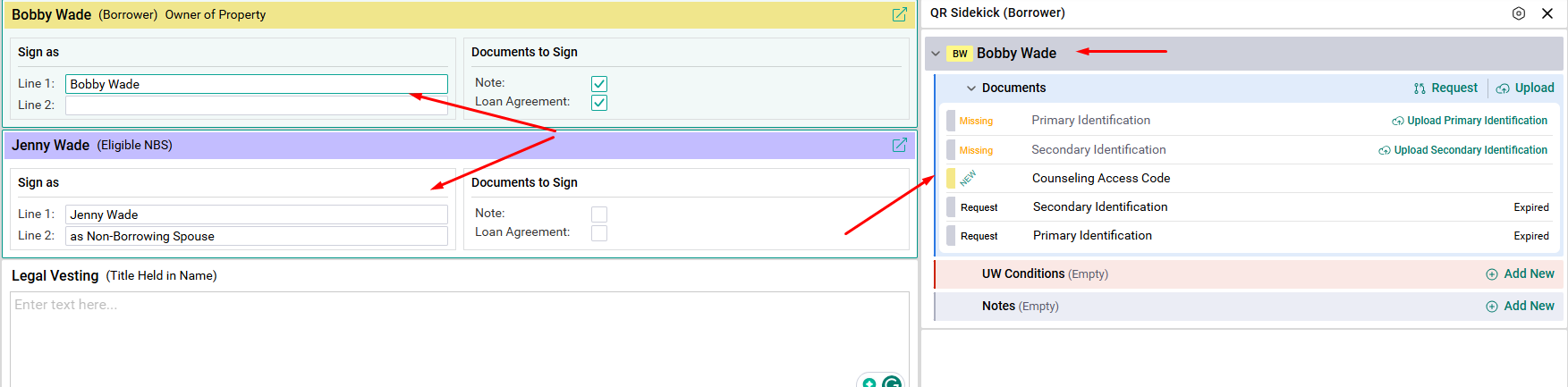
The Borrower Screen has multiple locations and object options. If there are multiple participants, make sure you select the correct card when uploading and requesting documents.
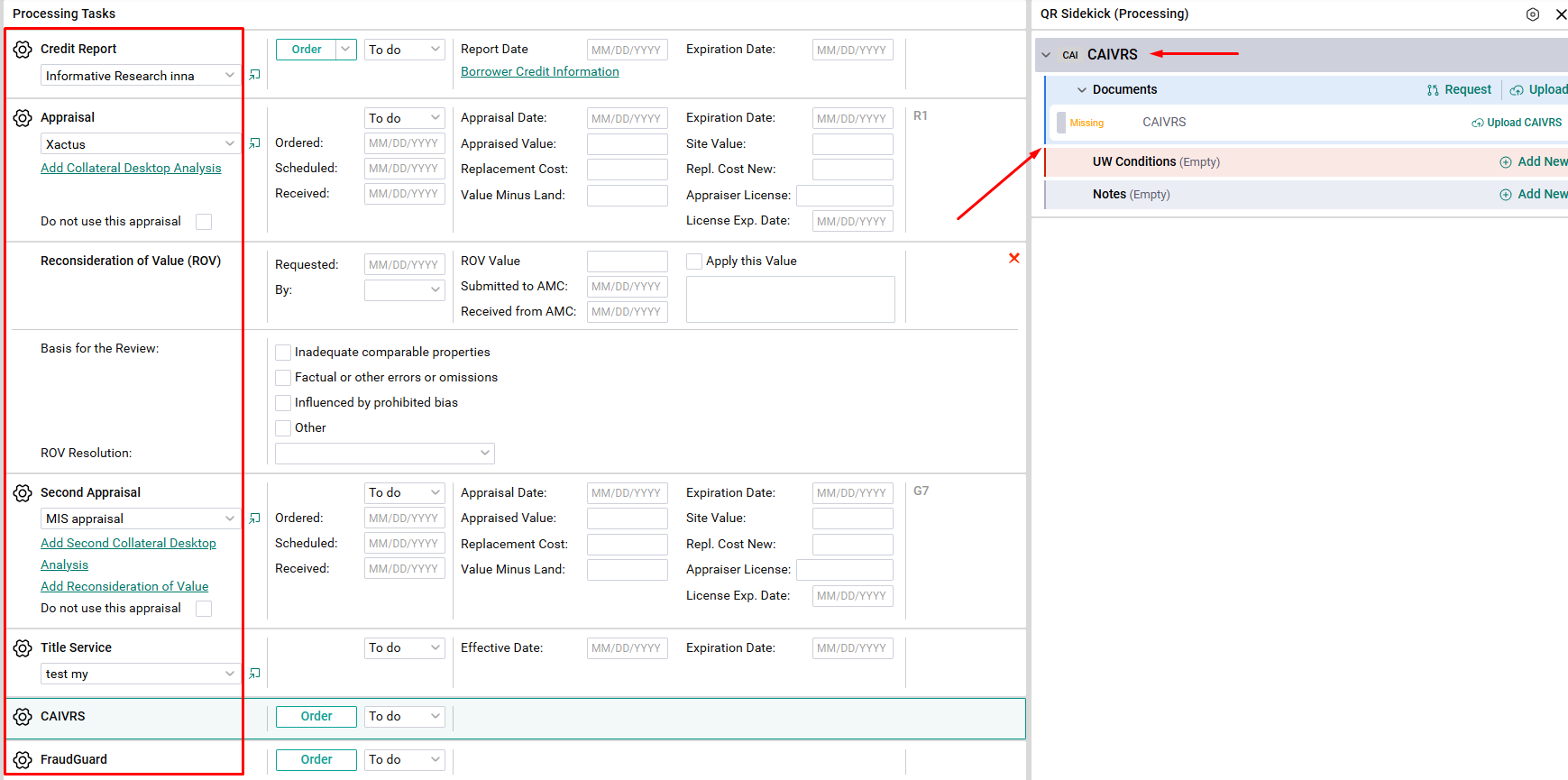
The Processing Screen has multiple locations and object options. Make sure you select the correct card when uploading and requesting documents.
The Signers / Trust Screen includes multiple locations and object options. If there are multiple participants, make sure you select the correct card when uploading and requesting documents.
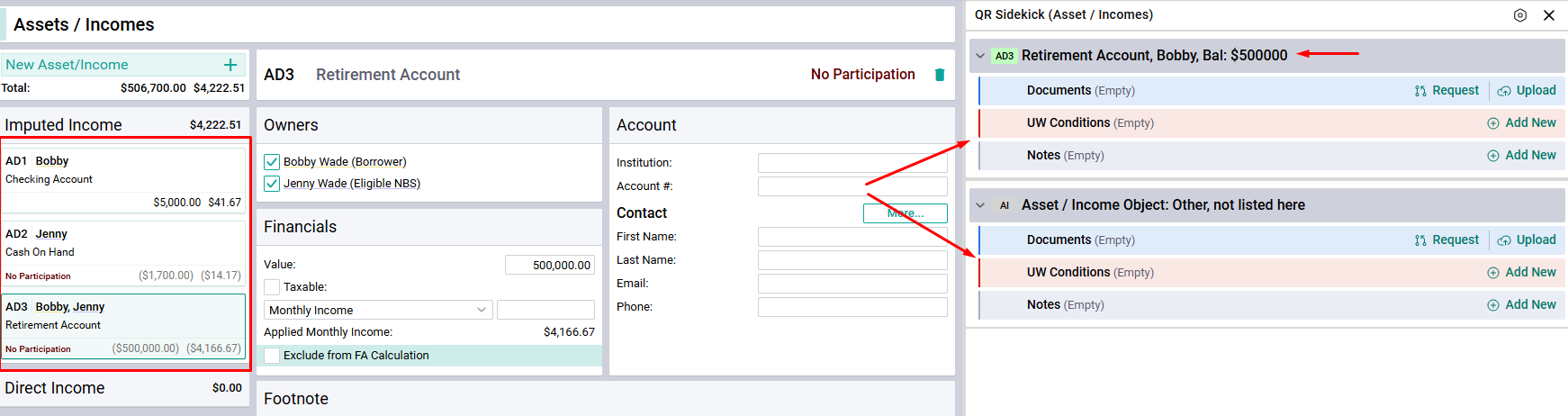
The Asset / Income Screen includes multiple location and object options. Make sure you select the correct card when uploading and requesting documents.
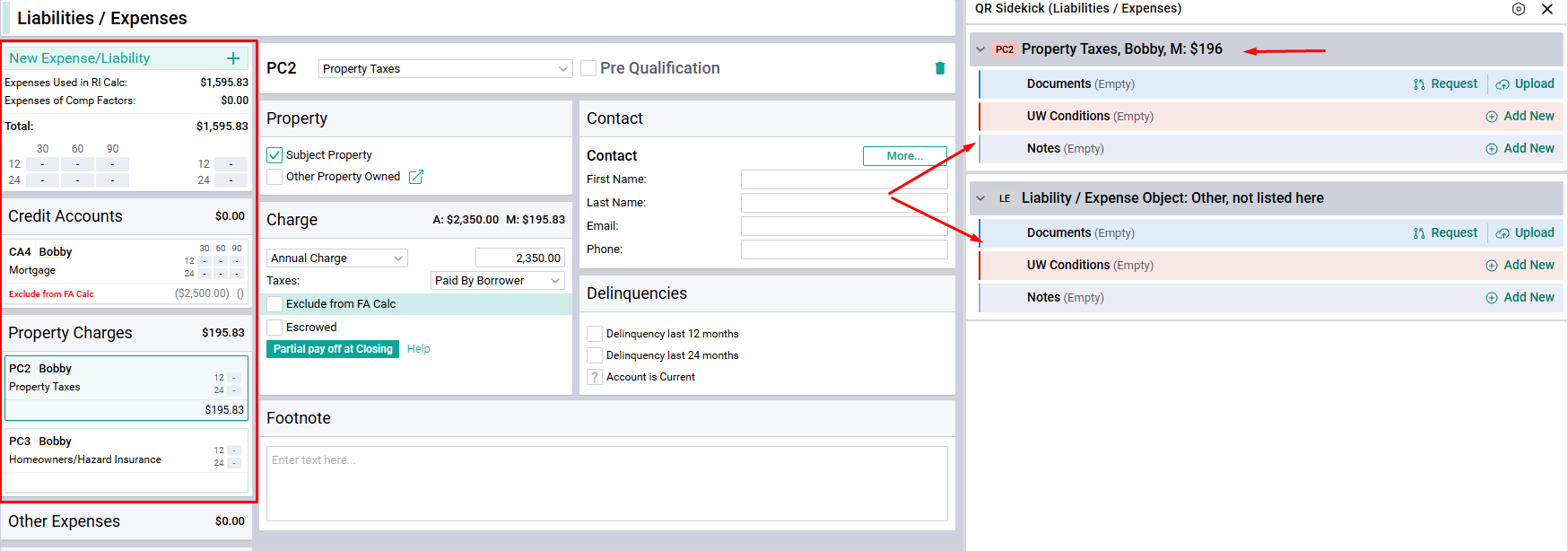
The Liability / Expenses Screen includes multiple location and object options. Make sure you select the correct card when uploading and requesting documents.
The Underwriting Screen has multiple location and object options. Make sure you select the correct condition when uploading and requesting documents.
The SideKick option is located on the right side. Hover your mouse over the divider line to access.