
Underwriting conditions can be created directly in the SideKick within the specific section they relate to. Issuing Conditions directly from the SideKick is best Practice!
This allows underwriters to issue conditions exactly where the information or document is located, keeping everything organized and clearly linked to the correct borrower, income source, asset, or other loan component. By adding conditions in context, SideKick ensures they are visible to all users and remain accessible from both the section where they were created and the main Underwriting page.
The underwriter can add conditions through SideKick only after the UW standard conditions have been added to the loan. Once those conditions are in place, the Add New button will appear on the right side of the SideKick in the UW Conditions section.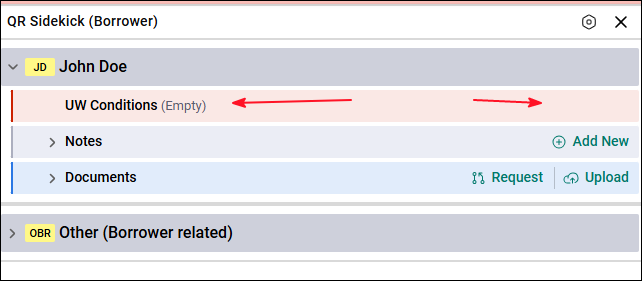
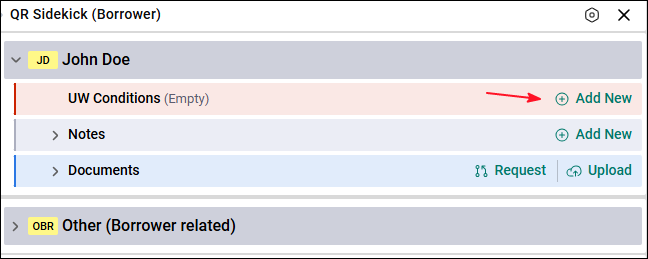
Condition Workflow Example
Click ‘Add New.’
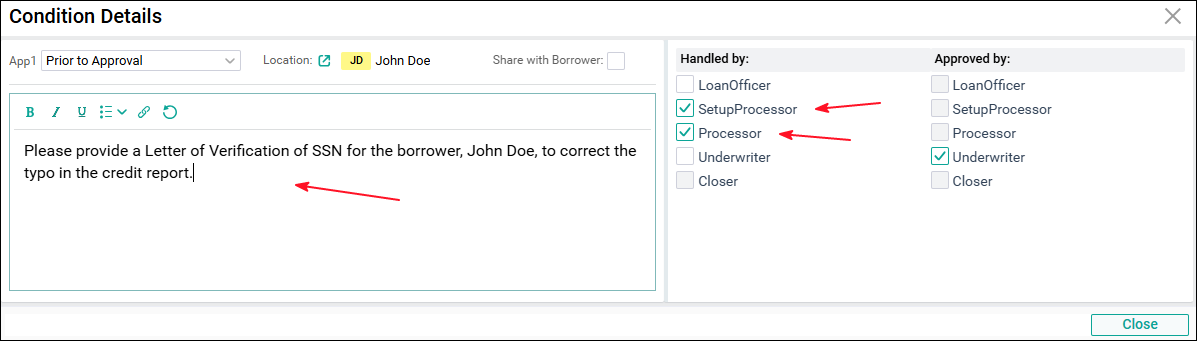
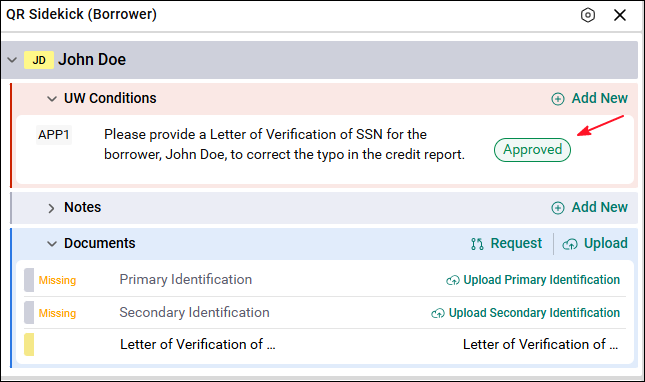
The Underwriter creates the condition: “Please provide a Letter of Verification of SSN for the borrower, John Doe, to correct the typo in the credit report. ” When creating the condition, the Underwriter selects that it can be handled by the Processor or Setup Processor.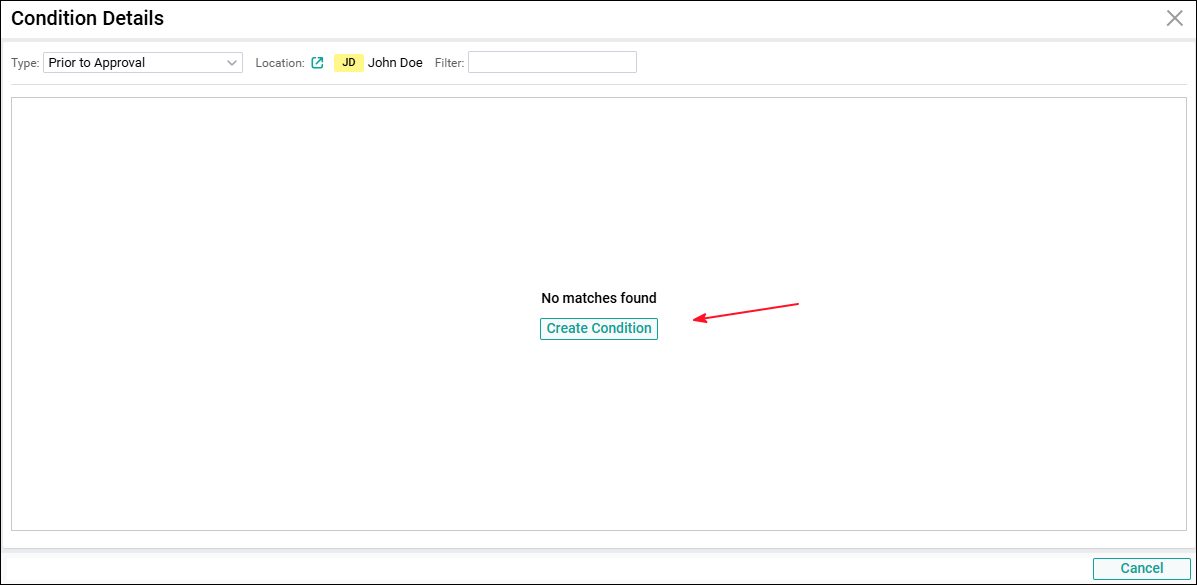
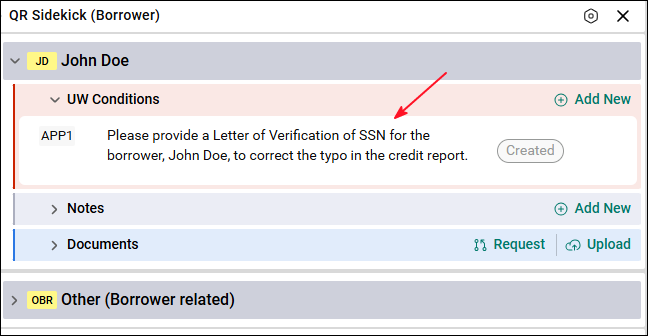
Once the condition is created, the user responsible for handling the condition, in this example the Processor, requests the document from the borrower and updates the condition status to In Process. If the user handling the condition already has the document in their possession, they can skip the request step and upload the document right away. In this example, however, the Processor will request the document from the borrower by sending them the secure link that is created when requesting a document.
How to request a document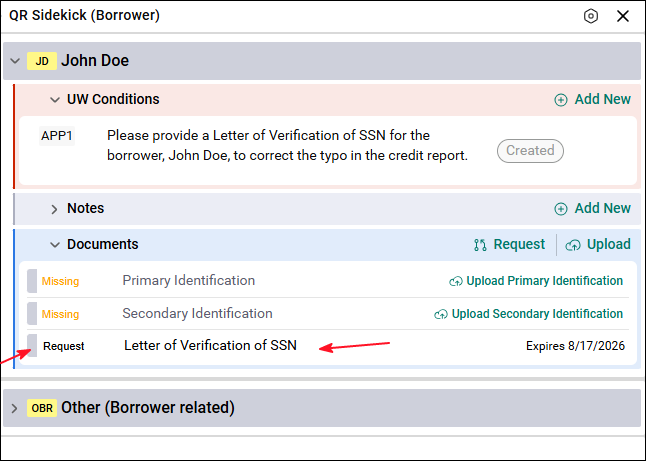
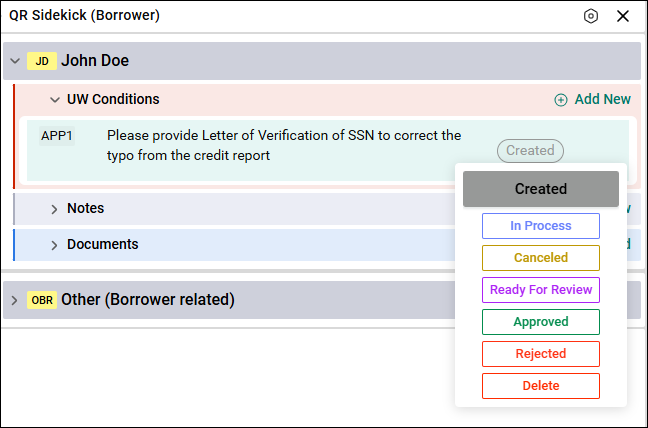
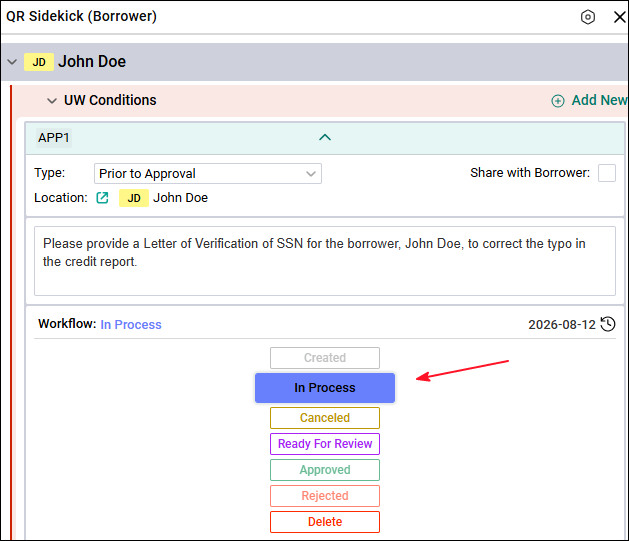
To update the condition status, the user responsible for handling it can hover the mouse over the right side of the condition to see the condition workflow status, or click on the condition to open the full view.
The user can update the status from either option; the full view simply displays more information.
The user in charge of indexing documents will index the document that was uploaded.
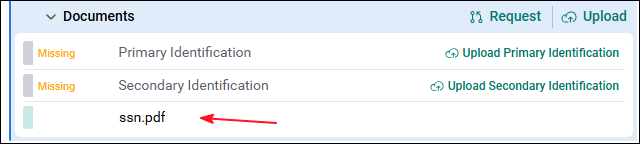
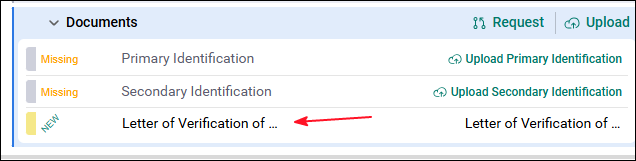
After requesting, uploading, and indexing the document, the Processor changes the condition status to Ready to Review.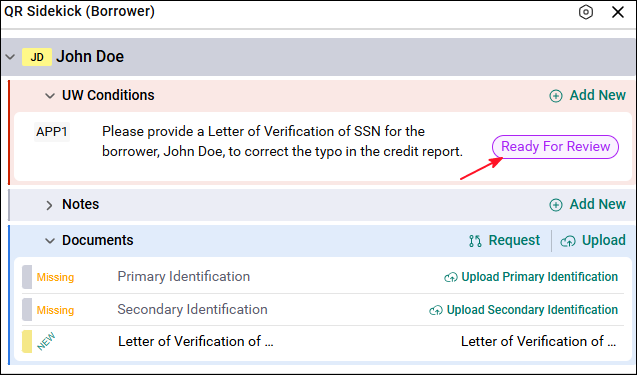
Now the Underwriter can go to the borrower screen, review the uploaded document, and approve the condition.
All actions from creating the condition, requesting the document, handling the condition, and approving the condition happen in the same screen where the document belongs.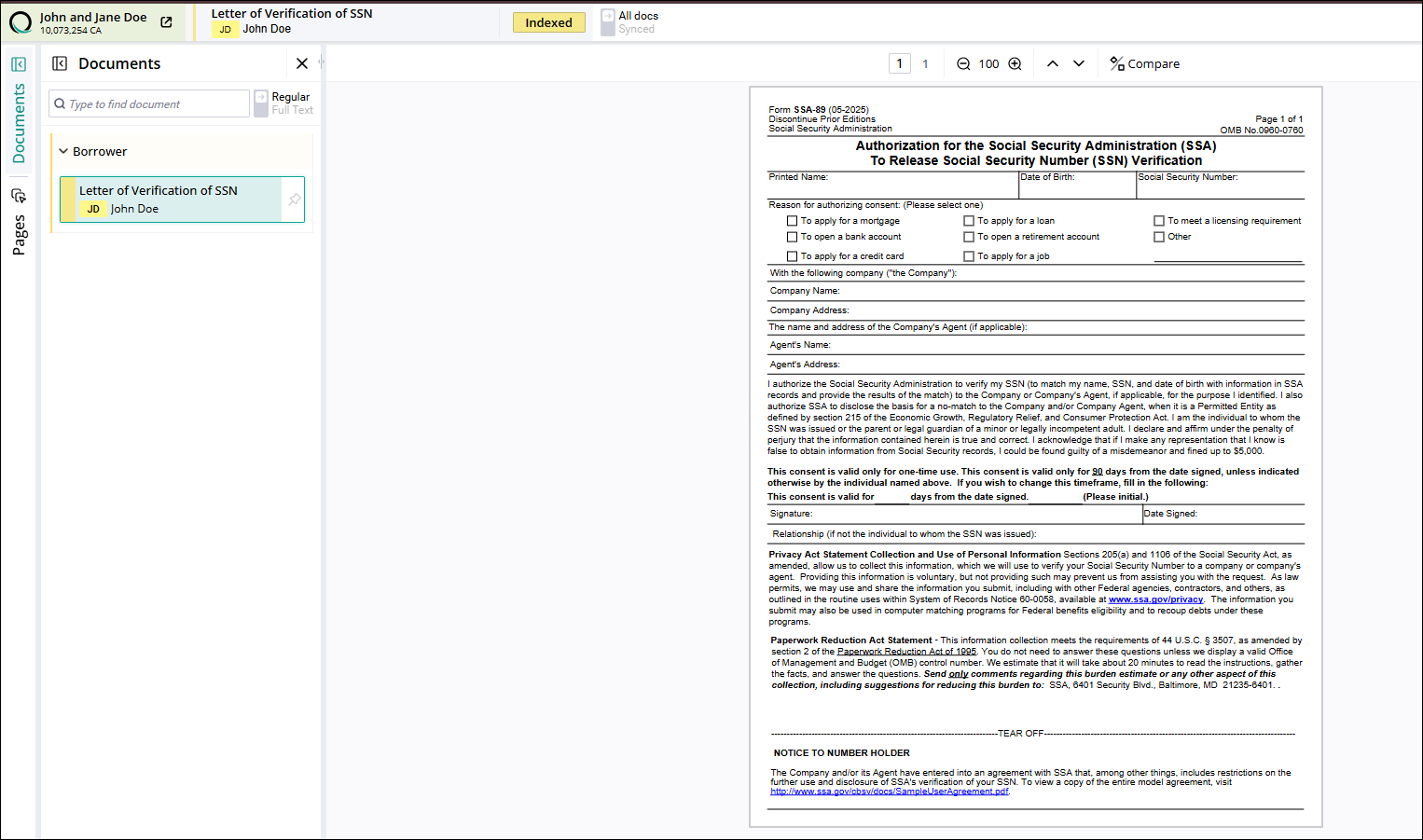
Training Video