
Idea
Documents, Notes, UW Conditions reference certain Locations in the Application, such as the Primary Borrower, an Appraisal or an Income Source. SideKick provides a consistent way of organizing accessing these, of linking Documents, Notes and UW Conditions to Locations within the Application.
Benefits
Underwriting
Underwrite where the Action is! If you issue an UW Condition for the Social Security Income, the UW Condition will be linked to this Location, visible for all the Users, but still be accessible in the main Underwriting Page.
UW Conditions issued directly where the Object is, will be linked to the Object.
Notes
Notes generally are about something specific, a borrower, a trust, an income source... SideKick organizes them where they belong to, accessible and clearly located for everybody.
Documents and Document Requests
Same as Notes and UW Conditions, Documents belong to certain Objects and Locations in the loan. A Primary ID is either for the Borrower or the Co-Borrower. SideKick provides a consistent way of linking Documents to Locations and Objects.
Need a Document, make a Request and have the Document linked to the correct Location when it is uploaded.
Underwriting - Notes - Documents and Document Requests
The beauty comes when they all come together. SideKick combines Notes and Documents, UW Conditions, linked to Documents... SideKick organizes everything in one place, where it belongs to.
How it works
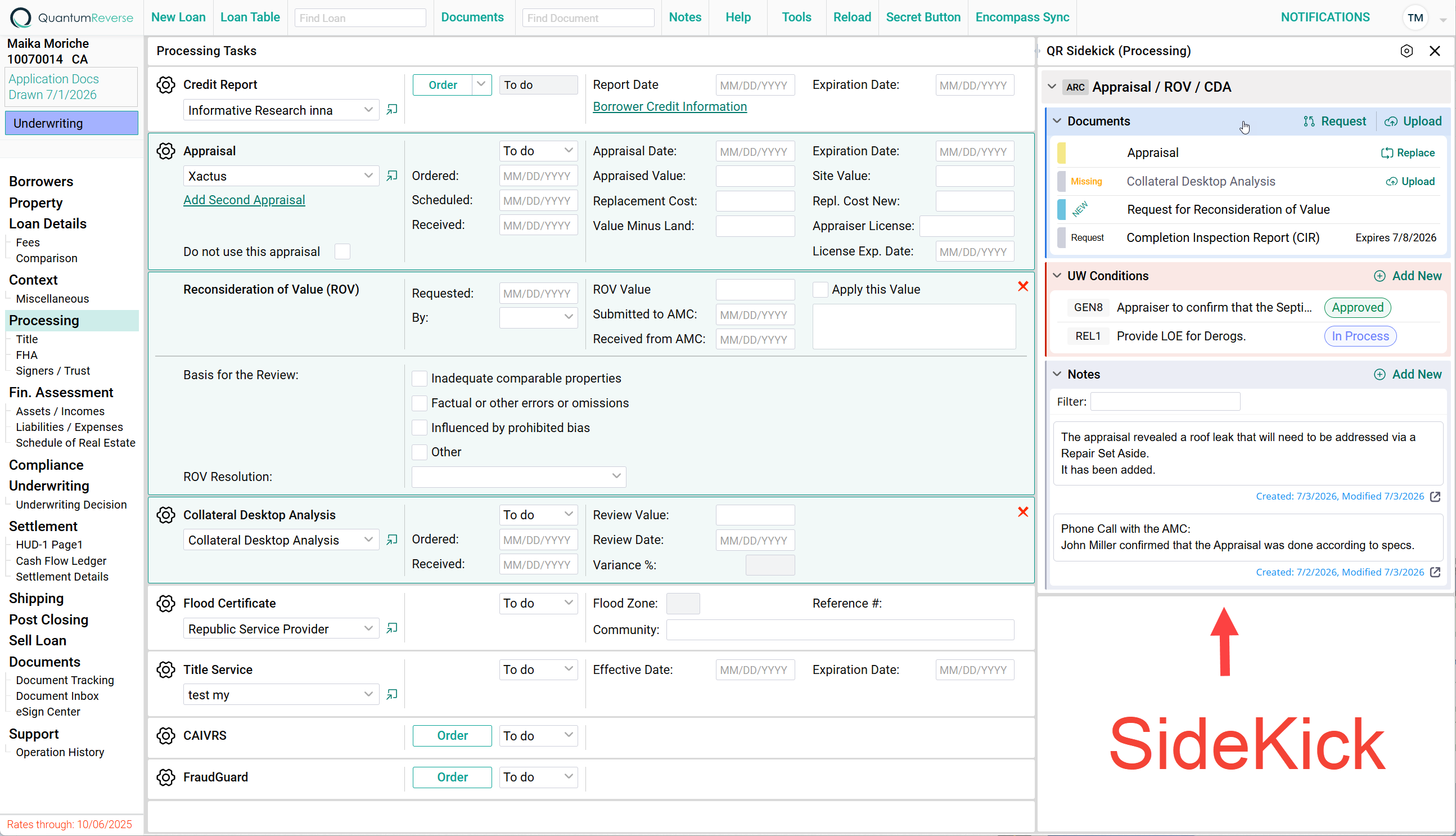
Most QuantumReverse Pages have a SideKick that can be expanded to the Right:
Tied to a Location / Object
In the above screenshot the SideKick is tied to the Appraisal (and the related ROV and CDA), indicated by the light blue highlighted area. Clicking the Credit Report (or any field in it) would bring up the SideKick for the Credit Report.
Location / Object
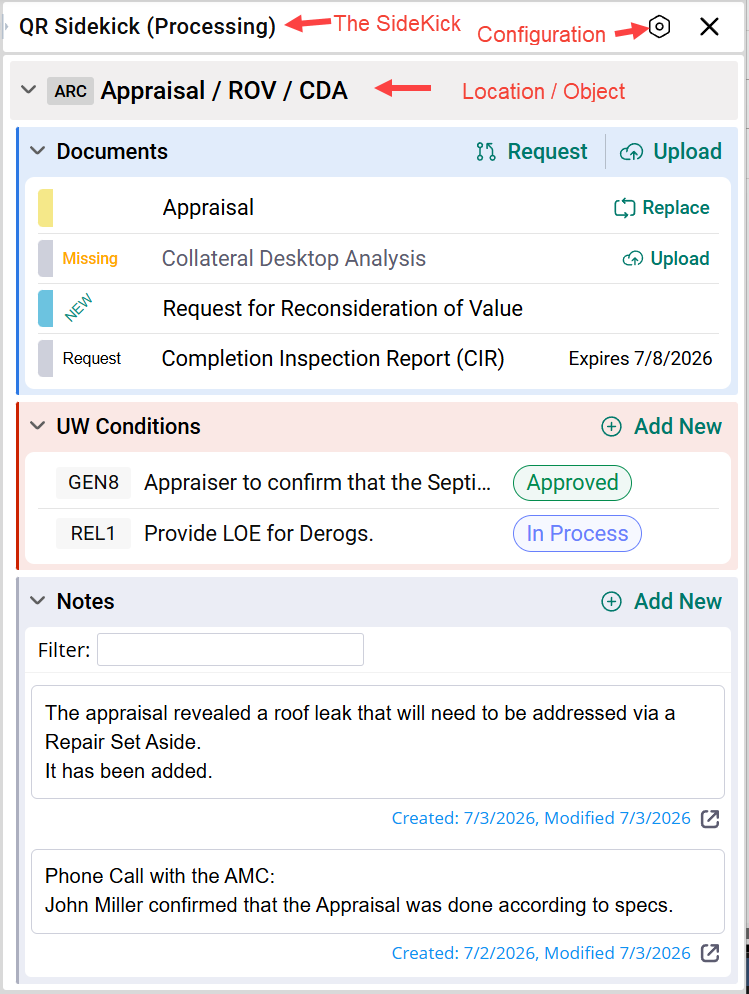
Depending on the Page that the SideKick is attached to, it can relate to one or multiple Locations / Objects.
In the above example, the SideKick is shown from the Processing Page and relates to the 1st Appraisal / ROV / CDA.
Sections
Each Location / Object has the following Sections:
- Documents
- UW Conditions
- Notes
(more to come)
What users can do within a Section depends on their Rights.
Configuration